PRODUCTION MANAGEMENT FOR EVENTS, BROADCAST + FILM
Every crew. Every call.
Every show.
ShowBook HQ is a production management platform for people who run shows. Build the schedule, book the crew, and assign the tasks, all in one place with visibility for everyone. Update once and the whole team sees it. Nothing to download.
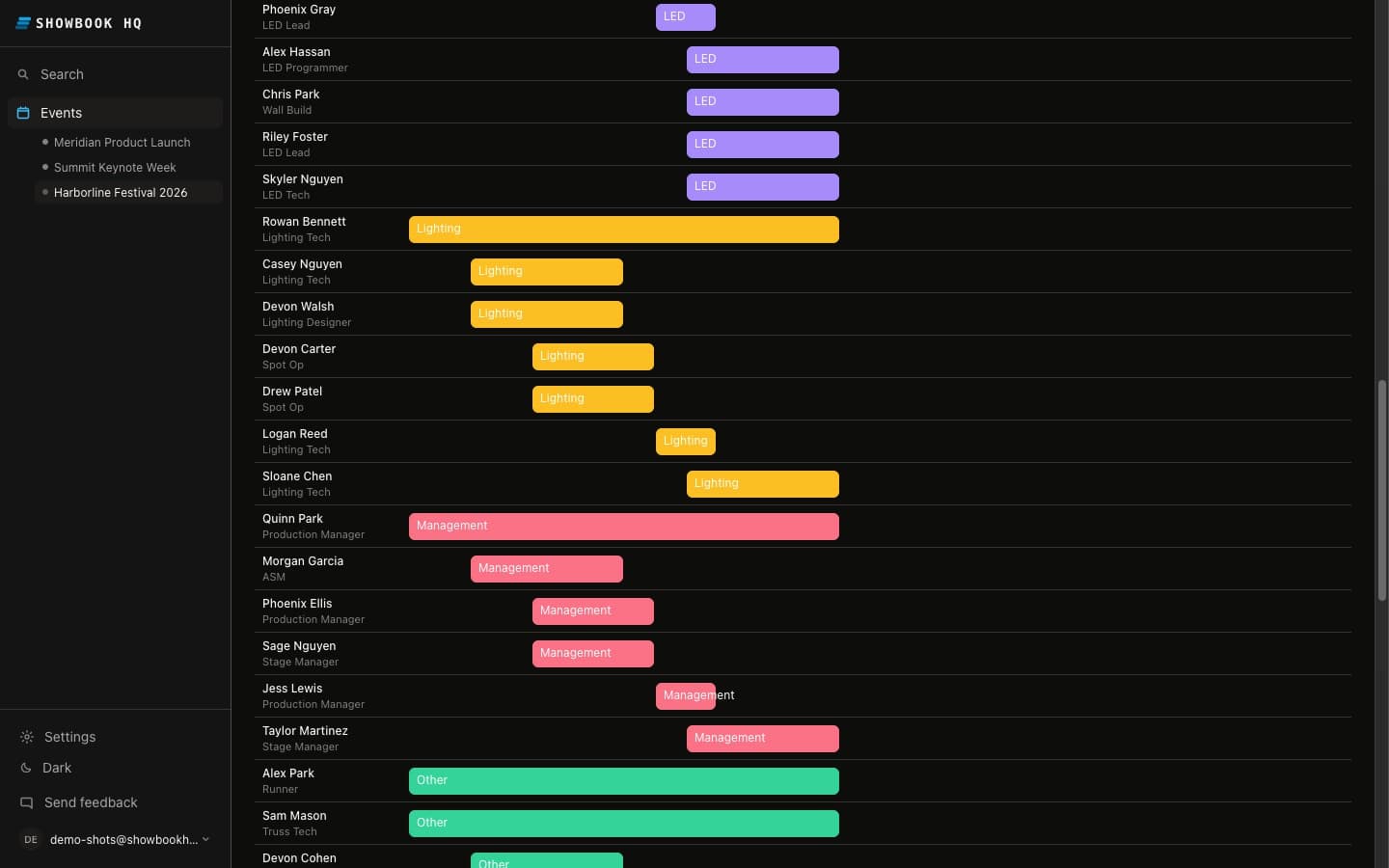
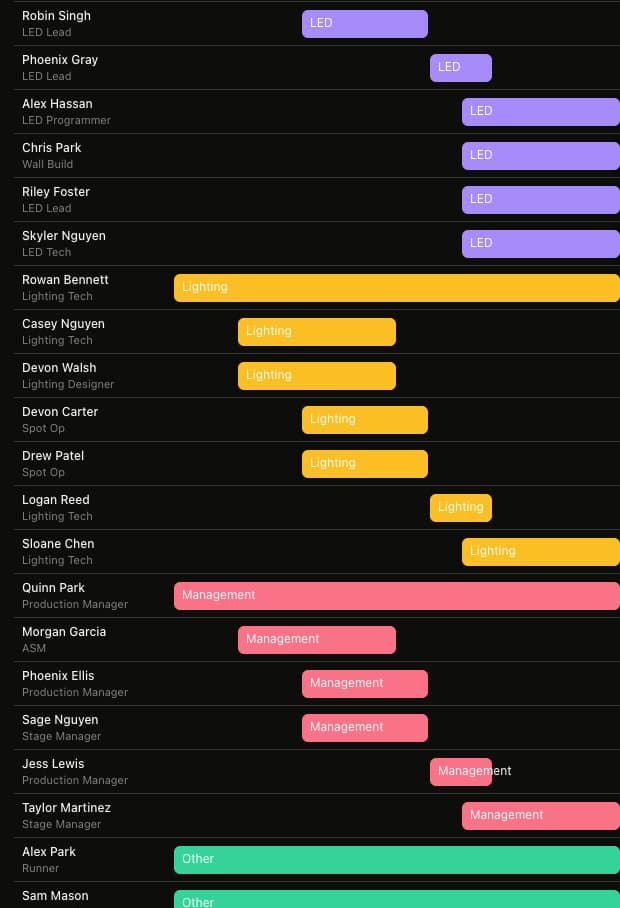
Retire the spreadsheet.
Every show still runs on the same stack: a scheduling spreadsheet, a group text that will not die, and one coordinator holding it all together from a folding table. We ran shows that way for 25 years. It works until the day it does not, and that day is always a show day. ShowBook HQ moves the whole operation into one place: the production schedule, the crew, the contact sheet, the checklists, and the alerts that go out on their own when something moves. Start by uploading the crew list you already keep. The spreadsheet retires. Nobody misses it.
The whole crew.
One contact sheet.
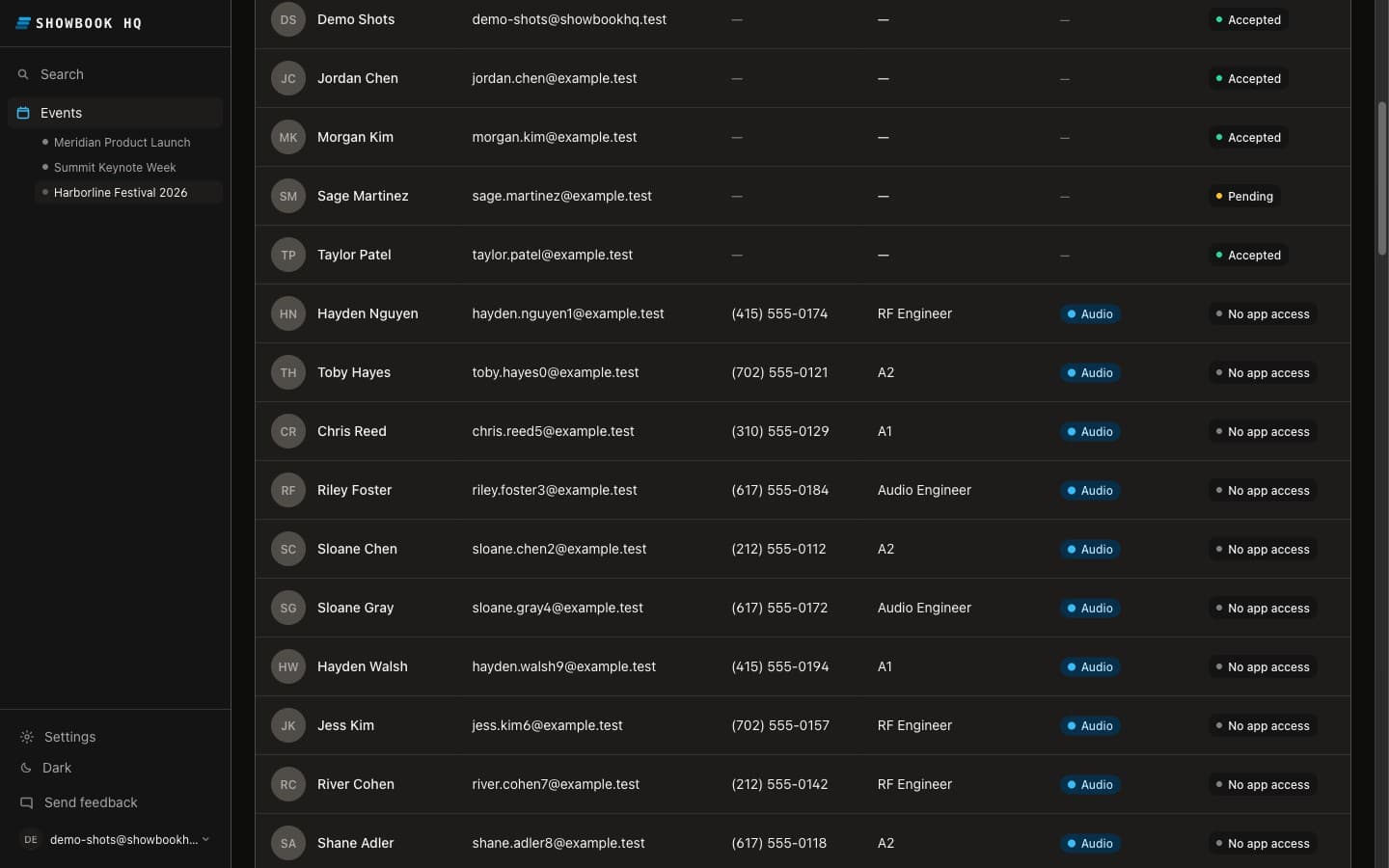
Every name, position, email, phone, and department on the show, in one searchable crew roster instead of a dead spreadsheet and five group texts. Filter by department, search by name or position, and the contact you need is right there. Each crew member controls who sees their contact info, and anyone can send a request through the platform to reach someone who keeps theirs private. When the client asks for the crew list, it exports to Excel in one click.
One schedule. Always current.
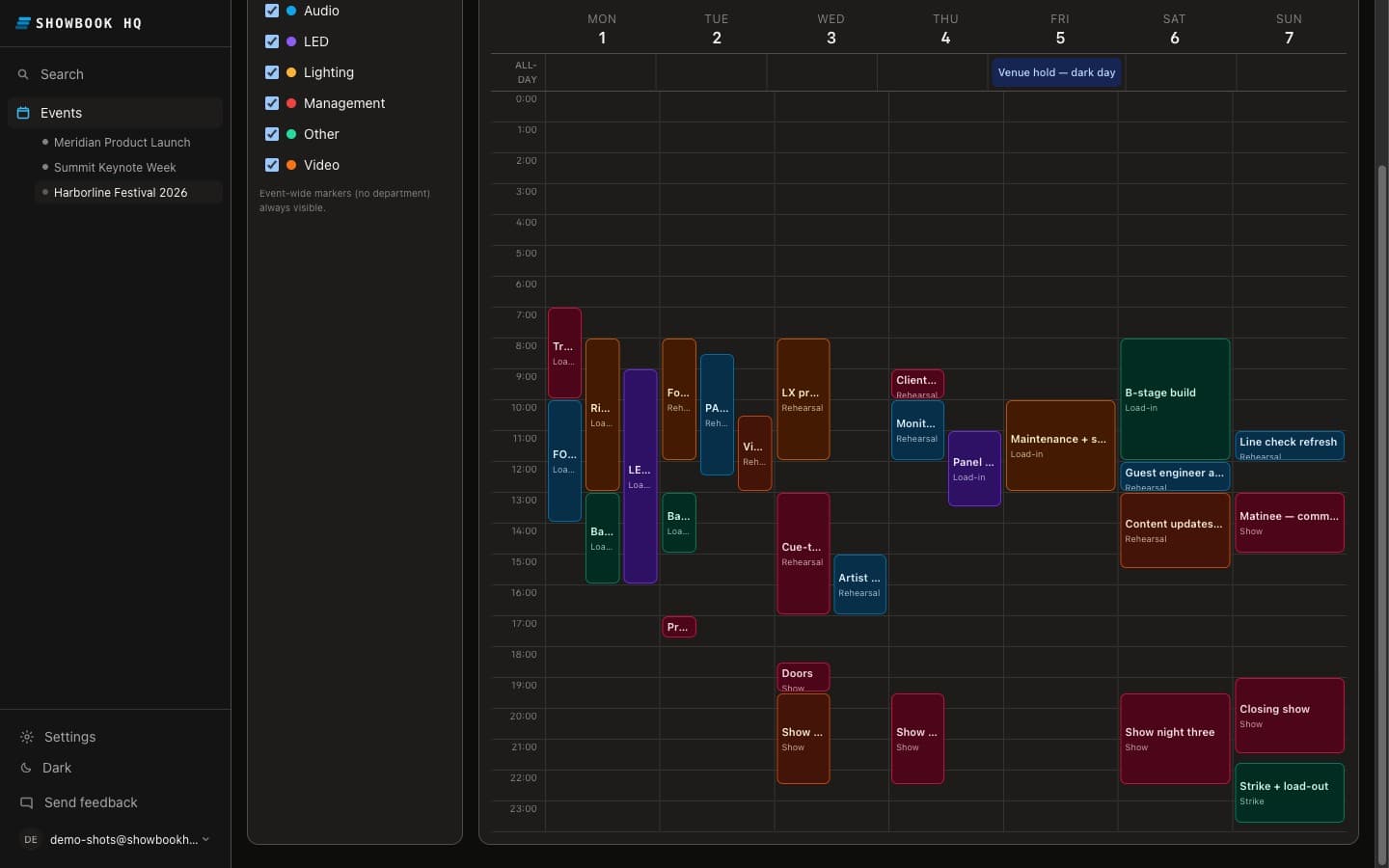
There is no “old PDF in the group chat.” Your production schedule lives at one link, in day, week, month, and agenda views, and the sheet everyone opens is the one you just changed. When a call time moves, the email alert goes out on its own to everyone on that day, in venue time. Every event keeps its own venue clock, so 8:00 AM means 8:00 AM at the dock, whatever time zone the on-site production office is in.
Subject: Call time changed: Video wall calibration · Harborline Festival
PLAIN EMAIL · NO APP · NO LOGIN NEEDED TO READ IT
The checklist lives on the day,
not in your head.
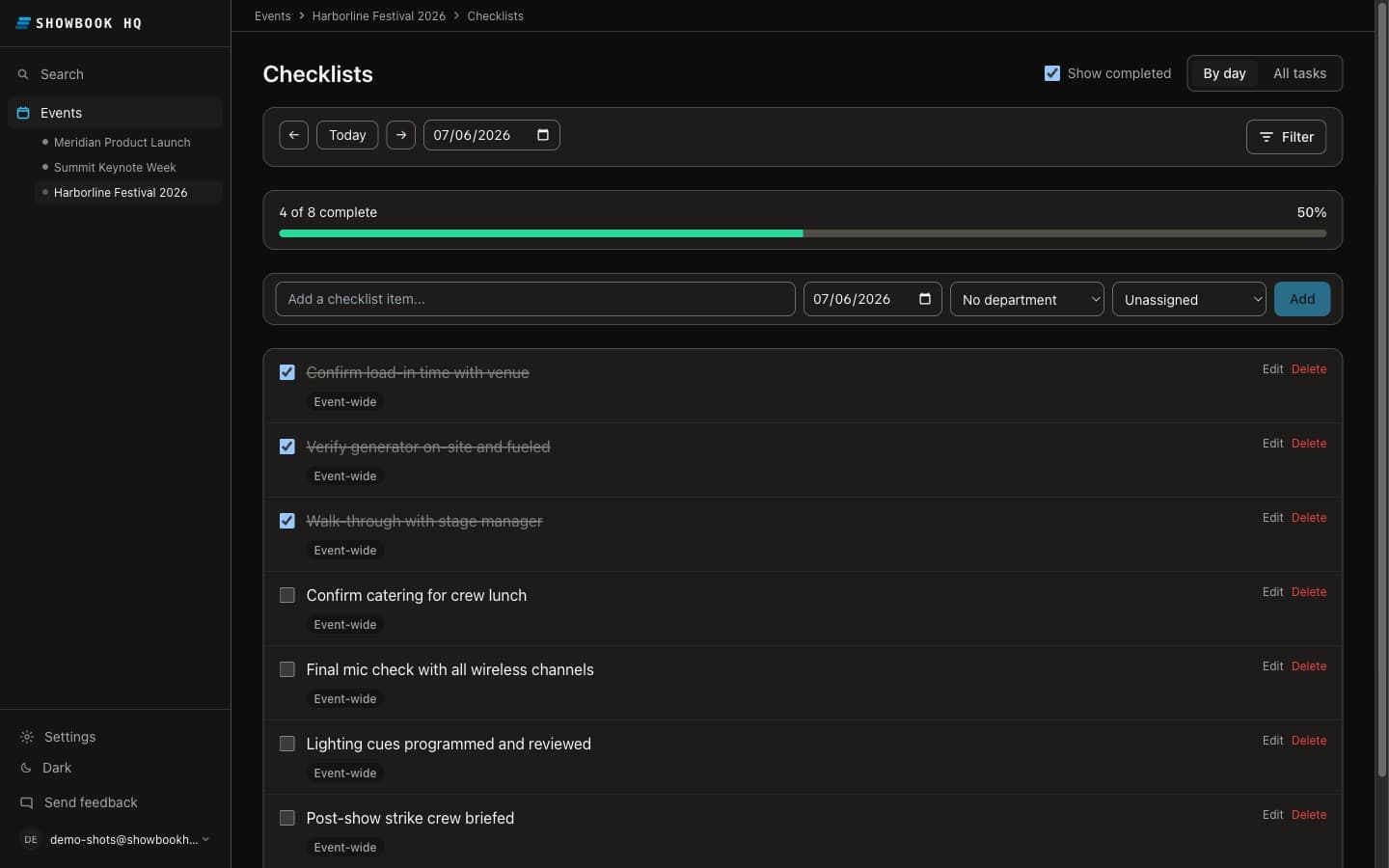
Per-day checklists by department: rigging sign offs, power distro labels, credentials, the crew call sheet. Anything still open when the day closes goes out as one end of day email, so the follow up happens without you. Every checked box records who checked it and when, because show day accountability should not live in anyone’s memory.
We spent 25 years on show sites before we wrote a line of this.
Corporate events, festivals, broadcast, film sets, and tours, with crews past 200 heads. We have chased confirmations at midnight, reprinted schedules at 6:00 AM, and watched a call time change die in a group text. ShowBook HQ is the tool we always wanted on the folding table: built by Crave Tech, a working production company, and run on our own shows first.
The rest of the kit.
Bulk crew upload
Bring the crew in from the spreadsheet you already keep. Fill the template, upload once, then send invites by email from the roster.
Calendar feeds
Every department gets its own iCal feed. The production schedule lands in Apple, Google, and Outlook calendars and stays current.
Roster to Excel
One click export of the full crew list with positions, departments, and contact info, ready for the client or the production office.
Schedule to PDF
A clean printable production schedule for the wall, the truck, and the people who like paper.
Crew broadcasts
Send a written update to the whole crew from inside the event. It lands by email, like everything else.
Roles and permissions
Owners, admins, managers, and crew each see exactly what they should, and role permissions can be tuned per organization when the defaults do not fit.
Questions production people actually ask.
What is ShowBook HQ?
A production management platform for events, broadcast, and film: crew scheduling, production schedules, assignable daily checklists, a searchable crew contact sheet, and email alerts for call time changes, contact requests, and team broadcasts.
Does the crew need to download an app?
No. The platform opens in any web browser, on a computer or a phone, and alerts land by email, with nothing to install and no login needed to read an alert.
What does it cost?
Free forever for one small show. Pro is $99 a month (up to 5 active shows, 20 crew a show, checklists, broadcasts, and exports); Company is $299. You pay for planner seats, and crew accounts are free to the crew. Save two months with an annual plan.
We run broadcast and film, not concerts. Does it fit?
If your production runs on call times, crew, and days, it fits. Departments, positions, schedules, and checklists are yours to define and customize, whether the day ends in a show, a TV broadcast, or a festival.
How do call time changes reach the crew?
Change the time once. Everyone on that crew for the day gets an email alert with the new time in venue time, and the shared schedule updates everywhere at the same moment.
Can the schedule live in our calendars?
Yes. Every department has its own iCal feed that works with Apple, Google, and Outlook calendars, so the schedule follows the crew into the tools they already use.
What happens to our spreadsheet?
Upload it. Crew comes in through a bulk template, you send the invites from the roster, and from then on the names, positions, and departments live in ShowBook HQ.
Run your next show on it.
Start free on a single-day show and feel the difference, or jump straight to a plan sized for your calendar. Crew accounts are free to the crew, and everything lands by email. Nothing to install.